
Run every ride from one screen.
Keep every driver in the loop.coming soon
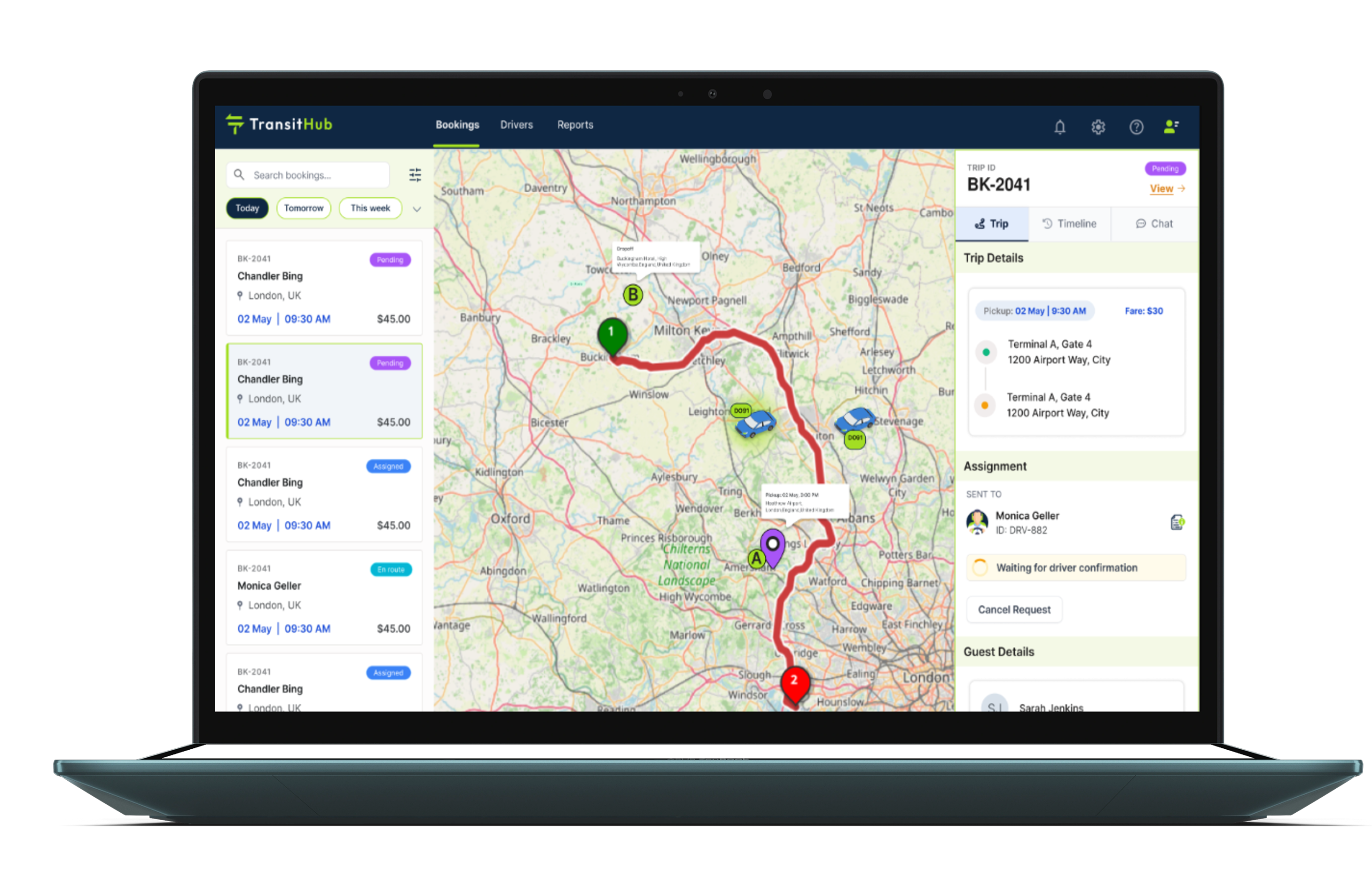
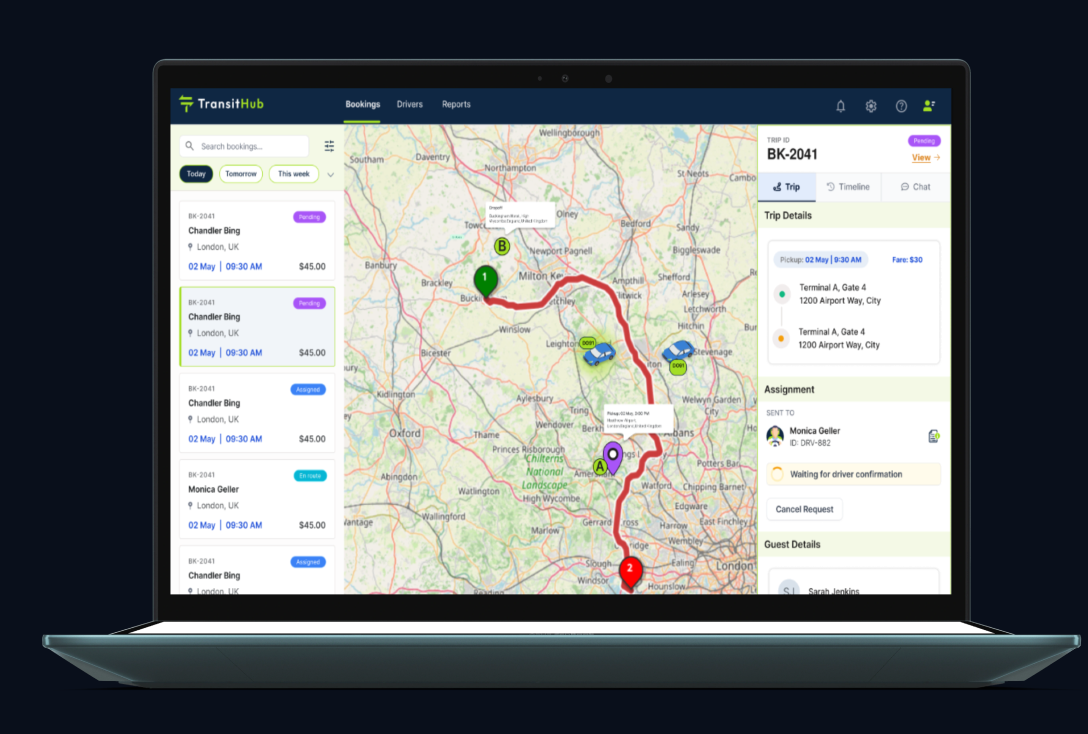
Marketplace, widget, portal and email bookings land straight on the dispatch board. Assign drivers, track rides live, push every change to the driver's phone — and settle driver payouts with one-click invoices.
Inside the dispatcher
Run the day. Settle the week
Track every trip, talk to drivers and pay them correctly, all from the same place you assign rides.
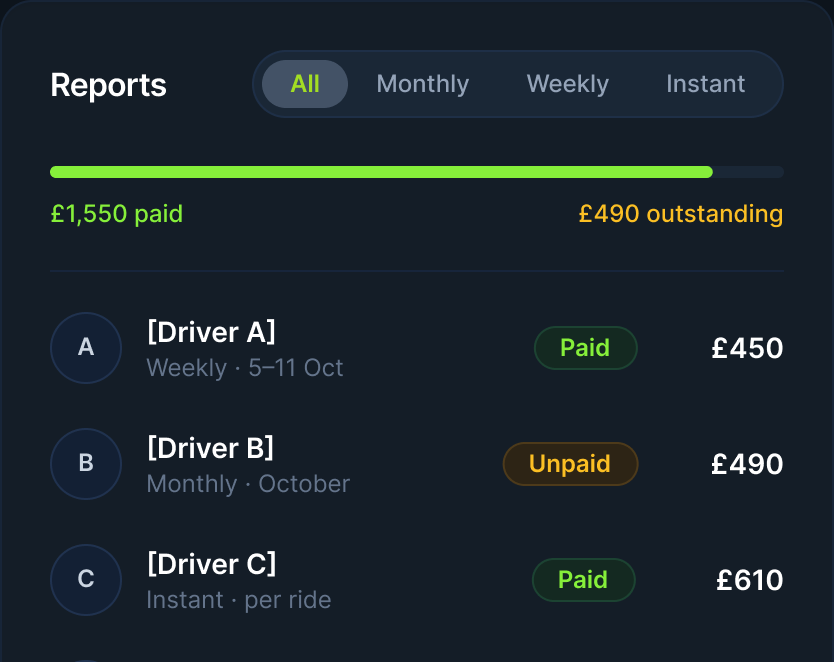
Accounts & Reports
Know what every driver is owed
Bookings, revenue, collected and outstanding for each payout cycle: weekly, monthly or instant. Mark payments as you make them.
Driver chat
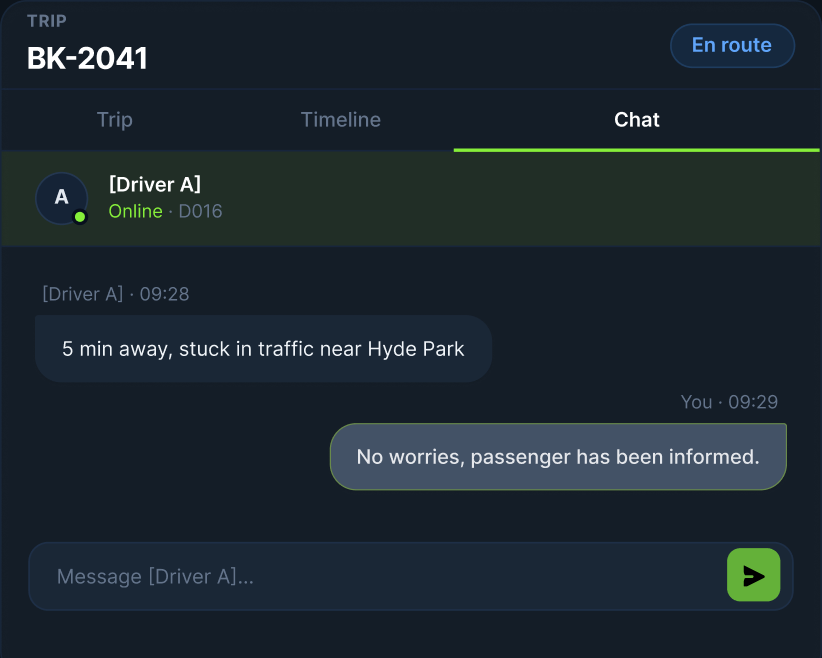
Talk to drivers inside the trip
Messages stay on the booking, next to its timeline, so nothing gets lost in WhatsApp and the next dispatcher can see what was said.
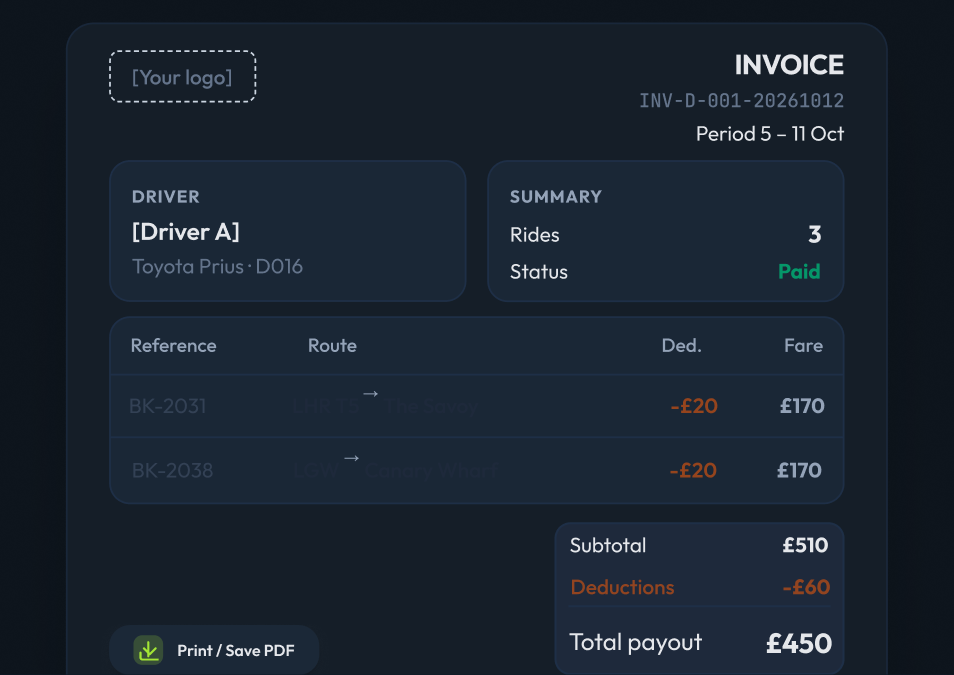
Driver invoices
Invoices in one click
Rides, deductions and payout for any period, under your logo. Print it or save it as a PDF and send it to the driver.
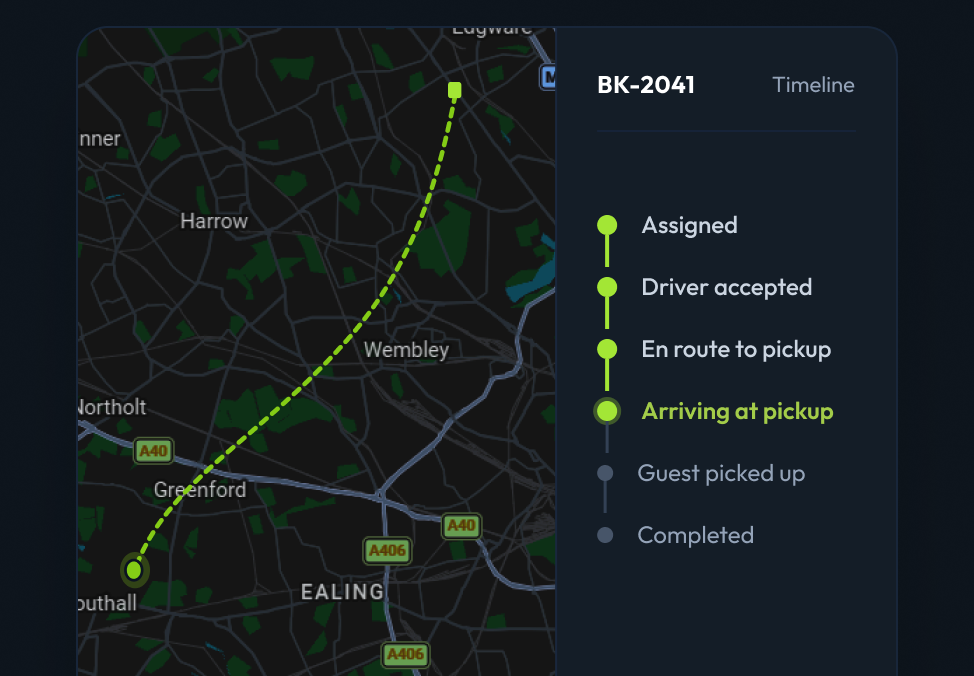
Live tracking
Every trip, live and on the record
See where each driver is and every status change, timestamped from assignment to drop-off. Useful when a guest or partner asks.
Every supplier speaks a different language.
You only need one.
TransitHub maps each supplier's vehicle codes, prices and policies into one consistent
format - so a sedan is a sedan, everywhere.
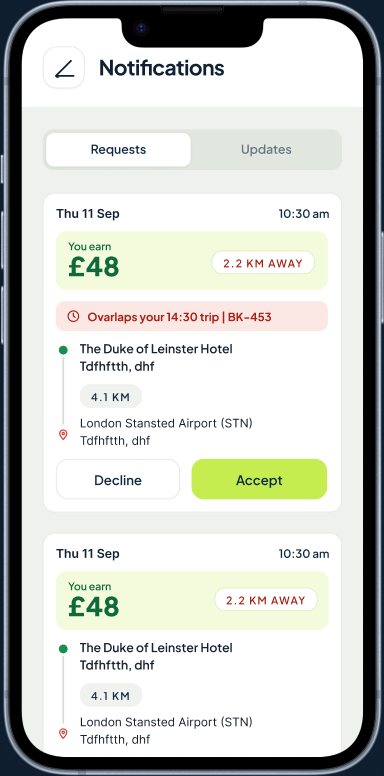
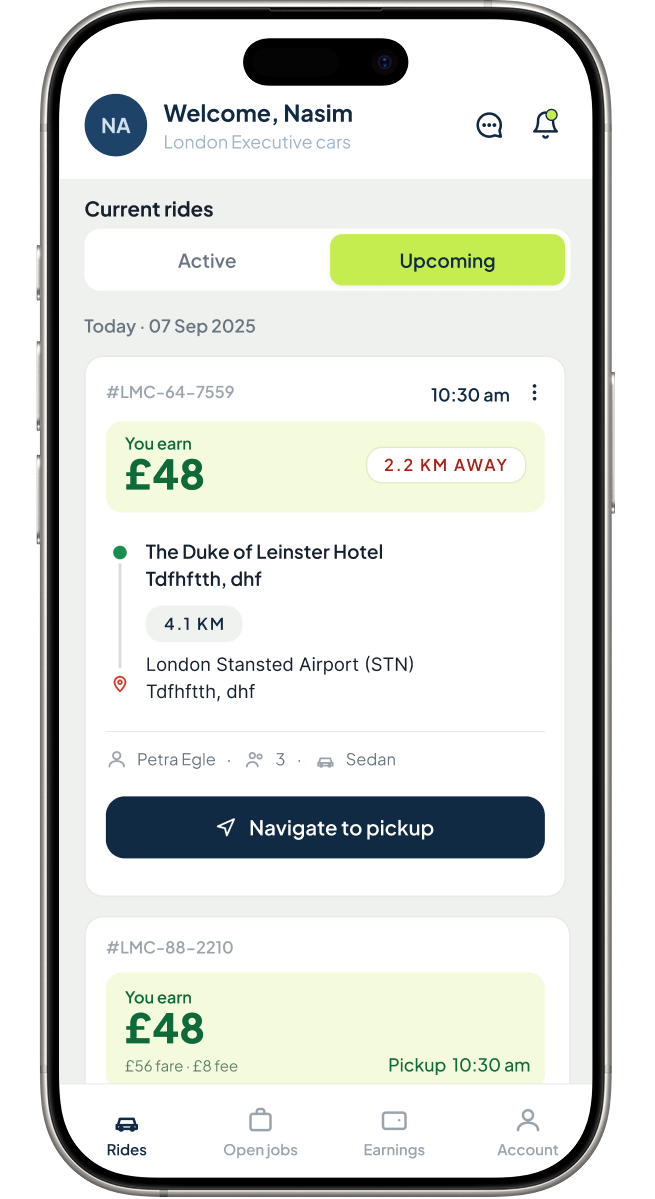
Accept the next job
Fare, route and passengers before accepting
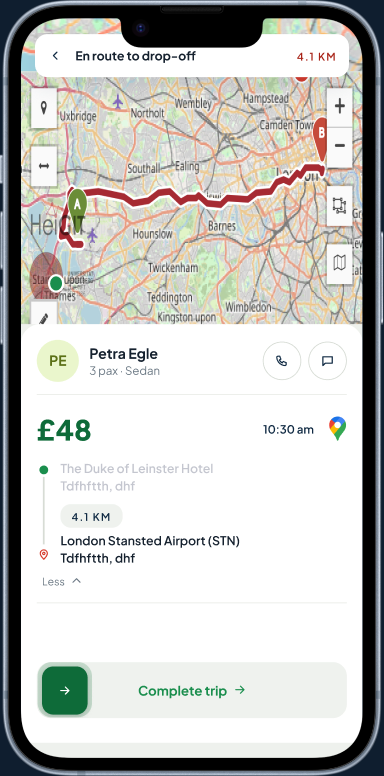
Navigate & Complete
Live route to drop-off, finish in one tap
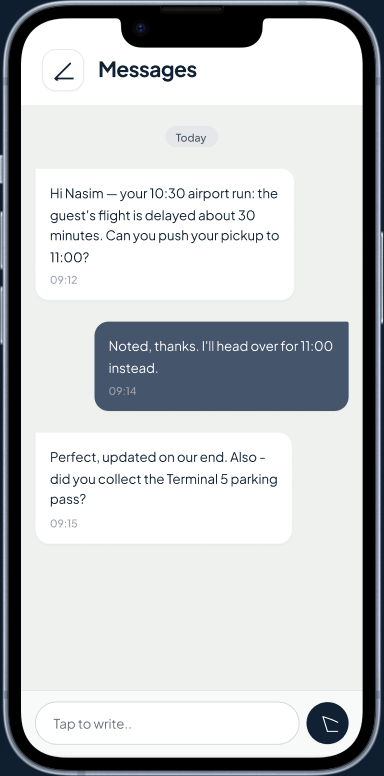
Stay in touch with dispatch
In-app chat and one-tap navigation
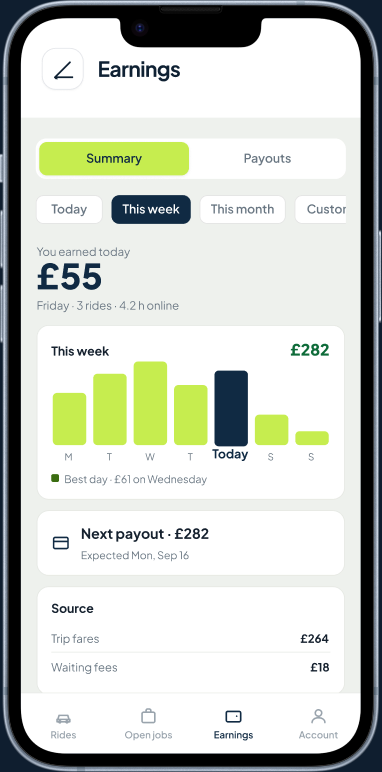
Track earnings and payouts
Daily and weekly earnings, next payout
One update, everyone informed
The driver taps once. Everyone knows.
Taps status in the driver app
Board and timeline update live
Notified automatically [confirm channel]
- 1Assigned
Driver accepts the job
- 2En route
Tracked on the map
- 3Arrived
Customer told the driver is waiting
- 4On tripLIVE
Live progress for dispatch
- 5Completed
Recorded in your reports
Part of one platform
Bookings arrive
already priced and
in one list
The Dispatcher reads the same bookings,
inventory and pricing as the rest of TransitHub —
nothing is retyped between selling a ride and
running it.
[Add launch timing.] Join early access above and you’ll be first to try it.
Ready to Transform Your Operations?
Join hundreds of ground transfer operators who've automated their business with TransitHub. Get started today and see the difference in your first week.
Start Free Trial